Keygrid

Drag in a beat. Get everything.

The BPM to four decimal places, the key and its relative key, vocal reverb and delay times, and a health check on the beat. One drop, a few seconds.

Free for Mac and Windows. Download for Windows instead.

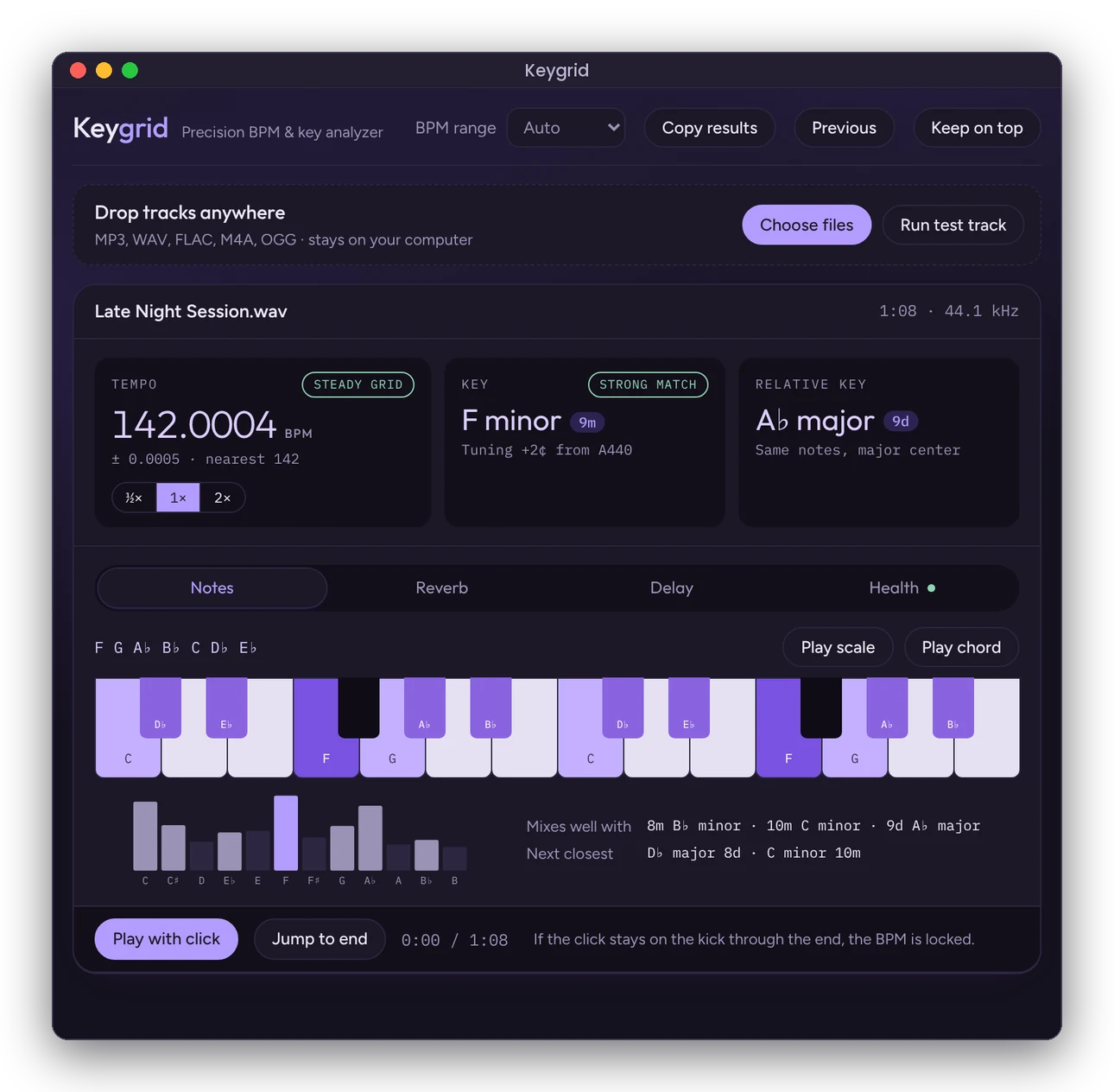
Keygrid showing a beat at 142.0004 BPM in F minor, with its relative key A♭ major and the F minor scale lit up on a piano

Less tab-hopping. More time with the music.

Every artist starts somewhere, and for most of us that's a bedroom setup with little or no budget.

Before a single vocal is recorded, there's a checklist: find the BPM, identify the key, work out reverb and delay times that fit the tempo. That usually means bouncing between several websites and apps, each answering one question. It takes time, breaks focus, and pulls energy away from the music, the artist and the moment in the session.

Keygrid puts all of it in one place, for engineers and artists who are just getting started and the ones who've been at it for years.

Hear the key before you record

This beat is in F minor. Tap a key.

Keygrid lights up the notes of every beat you load.

BPM you can trust to the fourth decimal

Keygrid finds every beat in the track and fits them all at once, so the tempo holds from the first bar to the last. Switch to half or double time with one click, and play it back with a click track to check by ear.
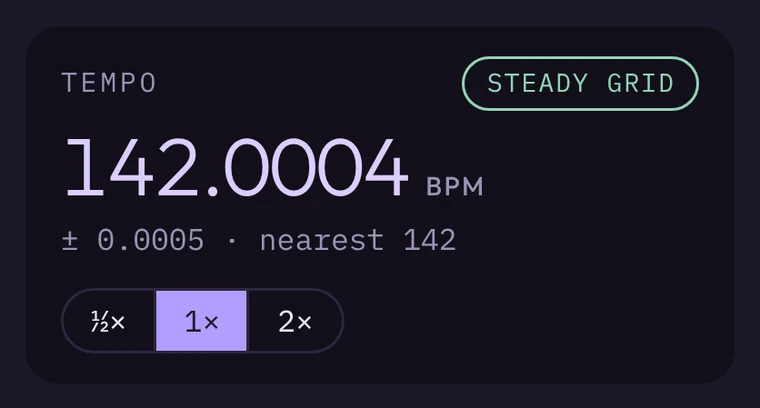
Tempo reading of 142.0004 BPM with a steady grid and half, normal and double time buttons

The key, the relative key and every note

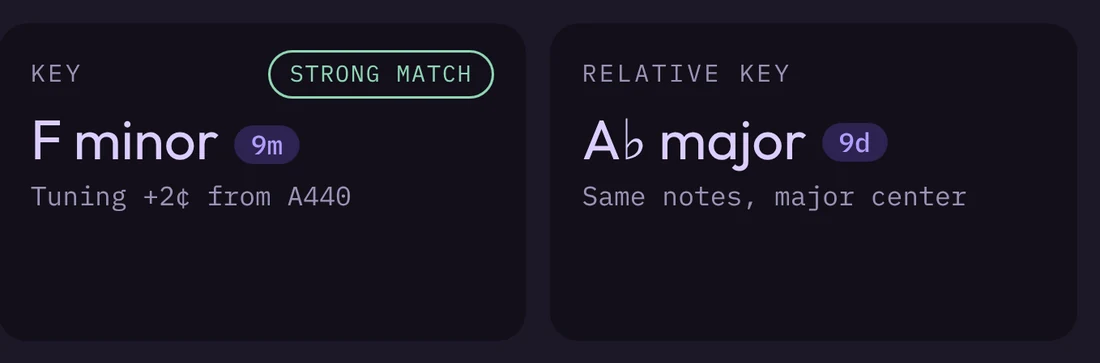
See the key with its Open Key code, the relative key that shares its notes, and a piano lit up in the right scale. Copy the notes straight into Auto-Tune or Melodyne.

Key reading of F minor, strong match, with its relative key A♭ major

Vocal reverb and delay, timed to the beat

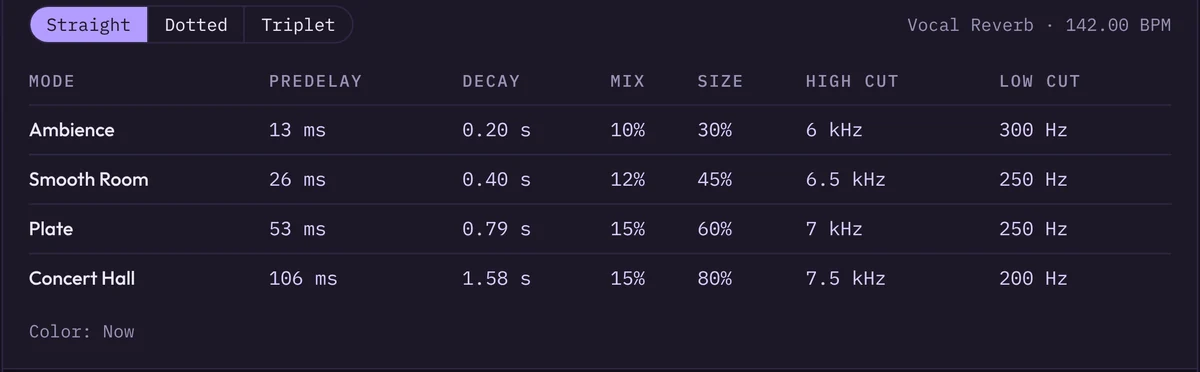
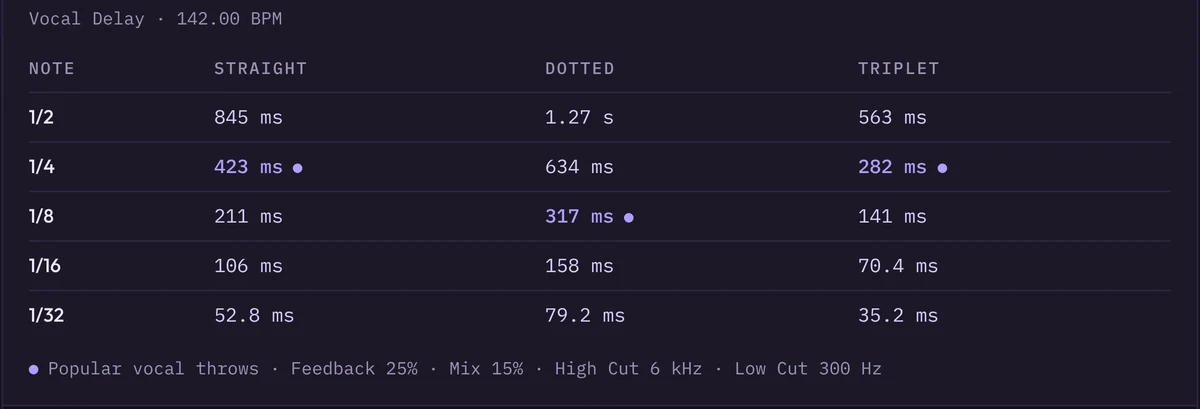
Four ValhallaVintageVerb settings, from a tight ambience to a full concert hall, with pre-delay and decay calculated so the tail fades out on the beat. Delay times for every note value, straight, dotted and triplet.

Reverb settings table with pre-delay, decay, mix, size and filter values for four reverb modes Delay times in milliseconds for half to thirty-second notes

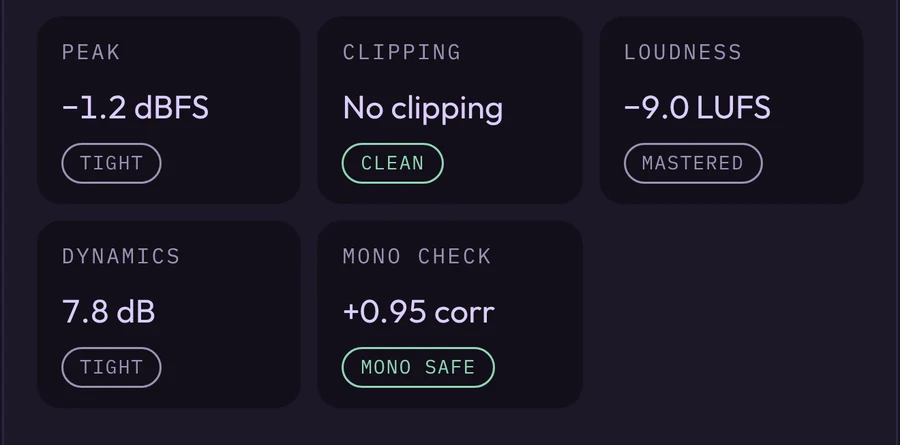
Know if a beat is too hot before you hit record

  • Peak and clipping show whether there's any headroom left.
  • Loudness in LUFS tells you if the beat is already mastered.
  • Dynamics flag beats that have been squashed flat.
  • Mono check catches parts that disappear on phone speakers.
Beat health readings for peak, clipping, loudness, dynamics and mono compatibility

Every session, ready for the invoice

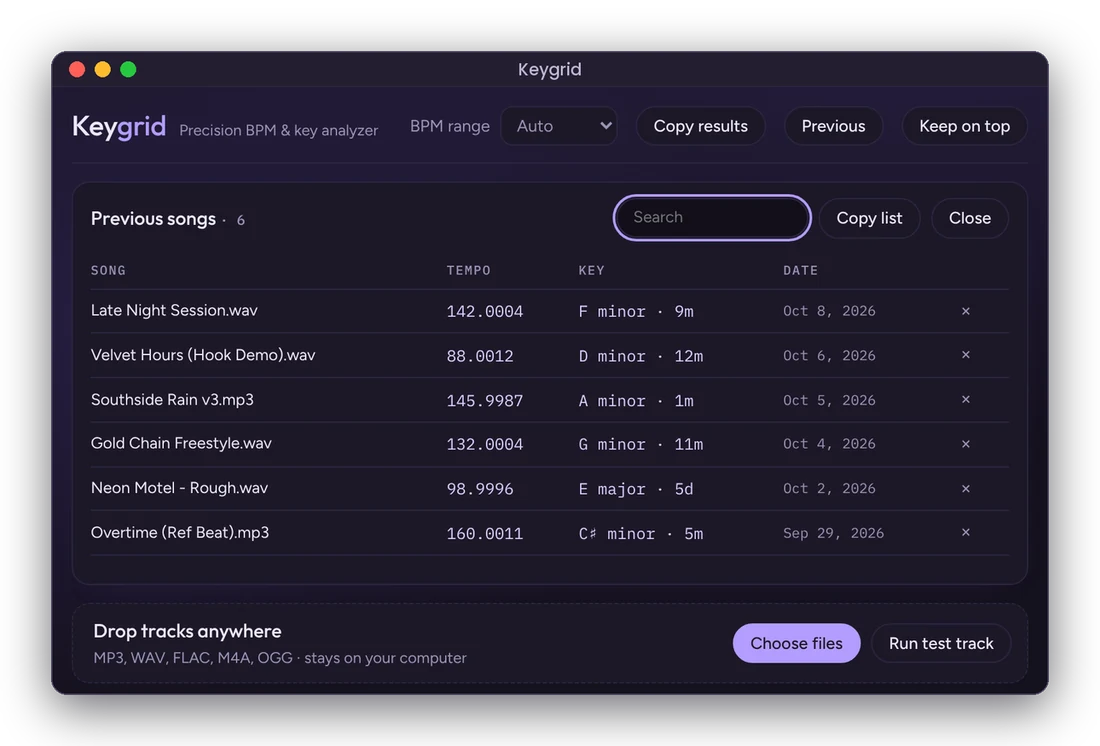
Keygrid keeps a searchable list of every beat you've analyzed with its tempo, key and date. Copy it into a spreadsheet when it's time to bill, or keep Keygrid floating on top of your DAW while you work.

List of previous songs with tempo, key and date

Your beats never leave your computer. No accounts, no uploads, no tracking.

Up and running in a minute

Keygrid is free. Want to try it before installing? Use Keygrid in your browser.

Download for Mac
  1. Download

    Works on Apple Silicon and Intel Macs running macOS 11 or newer. Open the file once it finishes.

  2. Drag Keygrid into Applications

    The window that opens shows you where to drag it.

  3. Allow it the first time

    Open Keygrid once, then go to System Settings, Privacy & Security, and click Open Anyway. After that it opens like any other app. Step-by-step help